

A successful website redesign is not a new colour palette wrapped around the same problems. It is a structured opportunity to clarify your offer, remove friction and create a faster path from first visit to genuine enquiry.
- How to decide whether your website needs a redesign
- The content, UX, SEO and performance checks that matter
- How to launch without losing useful search visibility
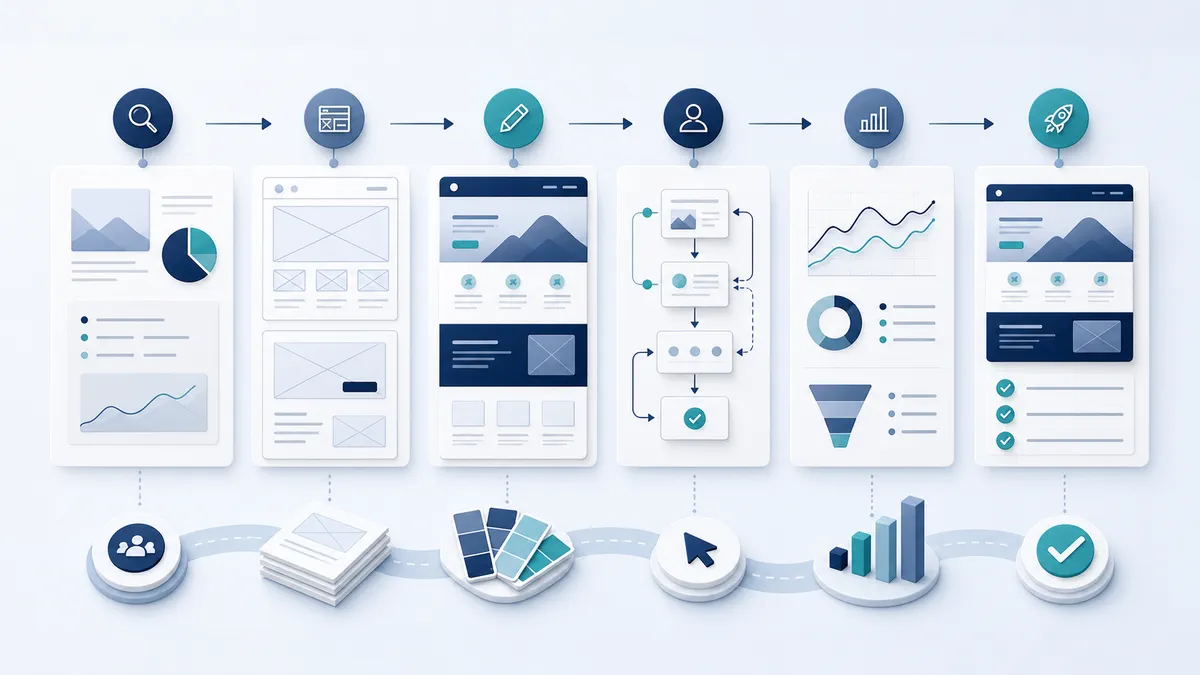
Start with the business goal, not the homepage
Before discussing layouts, agree what the new website must achieve. That might be more consultation bookings, better-quality enquiries, increased online sales or fewer repetitive support questions. Choose one primary conversion and a small number of supporting actions. This gives every page a clear job.
Review your current evidence: analytics, search queries, enquiry quality, sales-team feedback and common customer questions. A redesign based on evidence is more likely to solve the real bottleneck than one driven only by visual preference.
Clarify who the website is for
Strong websites feel specific. Define the people you most want to attract, the problem that brought them to the site and the evidence they need before taking action. Write for their level of knowledge rather than your internal terminology.
Your main pages should answer five questions quickly: What do you offer? Who is it for? Why should the visitor trust you? What happens next? How can they act?
Build a clear information architecture
Group services in the way customers understand them. Keep navigation labels direct, use one logical page for each important service and connect related pages with useful internal links. A clear structure helps visitors move confidently and gives search engines better context.
- Keep the main navigation concise.
- Give every priority service a focused landing page.
- Use descriptive headings instead of vague slogans.
- Make contact details and the primary call to action easy to find.
- Plan redirects for any URL that will change.
Strengthen trust at decision points
Claims become persuasive when supported by proof. Add relevant case studies, real testimonials, client logos, professional accreditations, transparent process information and answers to common objections. Place proof near the service or call to action it supports rather than collecting everything on one distant page.
Design the conversion journey
Every priority page needs a visible next step. Use specific calls to action such as “Book a consultation”, “Request a proposal” or “Ask about availability”. Keep forms proportionate to the value of the enquiry; asking for too much information too early can reduce completion.
Mobile conversion deserves particular attention. Buttons must be easy to tap, forms easy to complete and telephone numbers actionable. Test the entire journey on a real phone, not only in a desktop preview.
Protect SEO during the redesign
Keep useful content and URLs where possible. When a URL must change, map it to the most relevant replacement with a permanent redirect. Preserve strong title tags, improve thin pages and make sure the staging site cannot be indexed. After launch, submit the sitemap and monitor Search Console for crawl errors and unexpected traffic changes.
Google recommends clear, useful, well-organised and people-first content. Treat SEO as part of planning, writing and development—not a task added after launch.
Improve speed and accessibility
Compress images, limit unnecessary scripts, use efficient fonts and reserve space for media to reduce layout movement. Check keyboard navigation, colour contrast, focus states, labels and meaningful alternative text. These improvements help more people complete the journey and usually make the experience better for everyone.
Pre-launch website redesign checklist
- Confirm analytics, forms, emails and conversion tracking.
- Test navigation and calls to action on mobile, tablet and desktop.
- Proofread every key page and check all links.
- Review metadata, headings, canonicals, sitemap and robots settings.
- Test redirects from every changed URL.
- Check performance and accessibility on representative pages.
- Create a post-launch monitoring plan.
Frequently asked questions
How often should a business redesign its website?
There is no fixed timetable. Redesign when the site no longer supports your offer, audience, technology or conversion goals—not simply because it is a certain age.
Will a redesign improve SEO?
It can improve technical quality, content and user experience, but careless URL changes or content removal can cause losses. SEO needs to be planned from the beginning.
How to audit your current website before redesigning it
Begin with a page inventory. Record every live URL, its purpose, organic visibility, traffic, backlinks, conversions and owner. Mark content to keep, improve, combine, redirect or remove. This prevents valuable pages disappearing because nobody remembered why they existed. Add qualitative evidence from sales calls, support emails, form submissions and stakeholder interviews. Analytics explains what happened; conversations often explain why.
Complete representative journeys as a new visitor. Can someone understand the offer without prior knowledge? Can they compare services, find evidence, understand pricing context and contact the right person? Repeat on a phone and with a keyboard. Record friction as an observable problem rather than a design opinion: “The enquiry button disappears after scrolling” is more actionable than “The page feels old.”
Create a content strategy before visual design
Design becomes faster when the message hierarchy is settled. For each priority page, define the search intent, audience question, primary promise, supporting proof and next action. Draft headings and key sections before polishing every sentence. Real copy reveals whether a layout can accommodate the information customers need; placeholder text hides structural problems until late in the project.
Use one clear topic per page. A service page should explain the problem, approach, deliverables, suitable customer, evidence, process and next step. Supporting articles can answer narrower questions and link back to that service. This creates an understandable path for readers and a coherent internal-linking structure for search engines.
Plan conversion without making the website aggressive
Conversion design is not the same as adding more buttons. It means matching the next step to the visitor’s readiness. A first-time researcher may want a guide or case study; a ready buyer may want a consultation. Use one primary action and one lower-commitment alternative. Repeat them at natural decision points, after you have provided enough context to justify the request.
Forms should set expectations. Explain what happens after submission, how quickly the team replies and what information will be useful. Confirm success clearly and provide an alternative contact route. Track completed submissions, booked appointments and qualified leads rather than counting button clicks alone.
Use case studies as decision tools
A strong case study explains the starting problem, constraints, decisions, work delivered and practical outcome. It does not need inflated statistics. Specific descriptions, screenshots and a credible client context are more persuasive than generic claims. Link each case study to the service it demonstrates and feature relevant examples on service pages.
Testimonials should be genuine, approved and attributed accurately. Short feedback placed beside relevant proof often works better than a long rotating carousel. If feedback is paraphrased, label it as a summary and obtain approval before publishing.
Design a system, not isolated pages
Define reusable rules for typography, spacing, colour, imagery, cards, forms, buttons and alerts. A design system improves consistency and makes future publishing safer. Include responsive behaviour and accessibility states such as hover, keyboard focus, errors and disabled controls. Document which component should be used for which content rather than providing a collection of interchangeable styles.
Check that the system works with long headings, short cards, translated content and real images. Components that only work with carefully controlled demo content create maintenance problems.
Prepare a safe migration and launch
Create a redirect map from every changed legacy URL to the closest relevant new URL. Avoid sending everything to the homepage. Move metadata, canonicals and structured data deliberately. Keep the staging environment protected from indexing, then remove the restriction at launch and verify the live robots file, sitemap and canonical URLs.
Schedule launch when the team can monitor it. Test forms, payments, search, emails, analytics and consent controls in production. Crawl the live site, review server errors and inspect Search Console after release. Keep the old site and database backup until the new experience has been verified.
What to measure after launch
Create a baseline before launch and compare like with like. Useful measures include qualified enquiries, conversion rate by landing page, form completion, calls, organic clicks, engagement with proof and performance on mobile. Allow for seasonality, campaigns and tracking changes. A redesign is successful when it improves business and user outcomes, not merely when stakeholders prefer the new appearance.
Review results at two weeks, six weeks and three months. Fix defects immediately, but give search and behaviour patterns enough time before making large conclusions. Maintain a prioritised improvement backlog so the launch becomes the beginning of optimisation rather than the end of the project.
Website redesign questions businesses should ask
How much content should we keep?
Keep content that is accurate, useful, distinctive or commercially important. Improve valuable pages rather than shortening everything automatically. Remove duplication and outdated material with redirects where appropriate.
Should we change platforms during a redesign?
Only when the current platform restricts security, editing, integrations, performance or growth. A platform migration adds risk and should solve a documented problem.
Who should approve the website?
Use a small accountable group representing business goals, customer knowledge, content, brand and technical requirements. Endless consensus weakens decisions and delays launch.
How do we avoid another redesign too soon?
Invest in reusable components, maintainable technology, governance and ongoing measurement. Review content and performance regularly instead of waiting for problems to accumulate.
A practical redesign brief your team can use
A useful brief gives a partner enough context to challenge assumptions and propose the right solution. Include the business model, priority audiences, services, geographic reach, current performance, desired outcomes, technical constraints, integrations, brand assets, content ownership and approval process. Identify what is fixed and what is open to recommendation. Share the available evidence, including analytics, research, customer questions and previous campaign results.
Describe success in measurable terms. “Create a modern website” is subjective; “increase qualified consultation requests while reducing unsuitable enquiries” guides content and design. Include launch dependencies, legal reviews, migration requirements and internal deadlines. Be honest about who will produce and approve content because delayed content is one of the most common project risks.
How to choose a website design partner
Look beyond the visual style of a portfolio. Ask how the team approaches discovery, content, accessibility, SEO, measurement, testing, security and post-launch support. Request examples relevant to the complexity of your project, not only your industry. A good partner should explain trade-offs in plain language and connect recommendations to user or business evidence.
Clarify what is included: strategy, copywriting, photography, integrations, hosting, redirects, analytics, training, warranties and maintenance. Understand ownership of the design, code, content, domain and third-party accounts. Confirm how changes are controlled and how the team handles issues after launch.
Maintain the new website after launch
Assign owners for content, technical maintenance, analytics and enquiries. Review priority pages quarterly for accuracy, proof and conversion. Update software and backups safely, test forms routinely and remove unused accounts or plugins. Maintain a content calendar based on customer needs rather than publishing for volume.
Use real performance data to prioritise improvements. Interview sales and service teams about lead quality, watch for new customer questions and review accessibility after component or plugin changes. Small, continuous improvements protect the redesign investment and reduce the need for another disruptive rebuild.
Final redesign readiness check
Before approving production, ask a person who was not involved in the project to complete the primary journeys. Give them realistic tasks and observe without coaching. Confirm that the language, proof, navigation and forms work for someone without internal knowledge. Review the experience at 200% zoom, on a phone, with a keyboard and on a slower connection. Check legal and privacy content, cookie choices, email recipients, spam protection and analytics consent. Record launch ownership, escalation contacts and rollback steps.
Finally, schedule the first improvement review before launch day. Assign owners to outstanding content, performance, accessibility and conversion tasks. A website should enter service with a maintenance rhythm, not an assumption that it is finished forever. This governance is what turns a good redesign into a durable commercial platform.